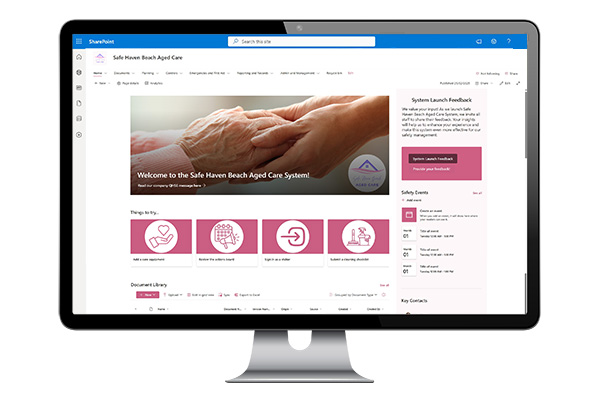
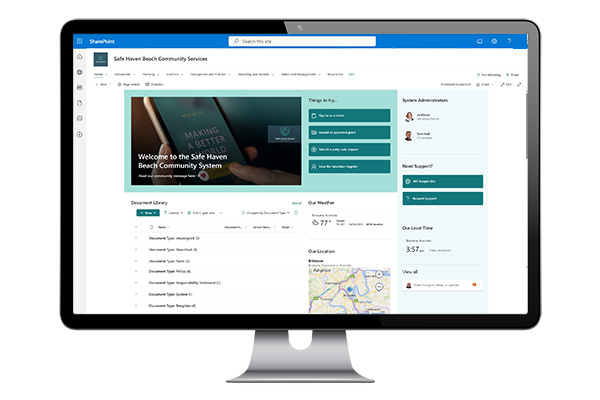
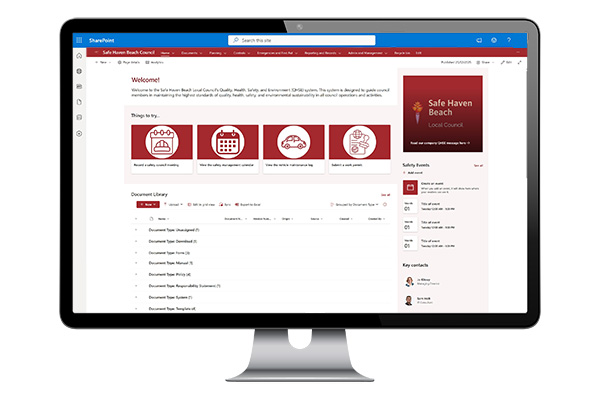
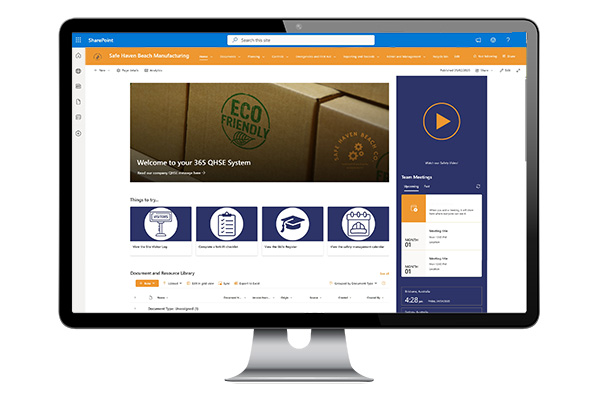
365 Professional Services System is built from our award-winning 365 systems, using our industry experience, and adjusted to your organisation. Provisioned to your Microsoft 365 tenancy as a fully editable system, typically including the following.
 Documents and Templates
Professionally written editable documents, typically including:
- 365 System Specifications Document and Permissions Guide: records how your system is set up and who can view, edit and approve content.
- WHS, Quality, and Risk Policy Statements: sets out your commitments to health and safety, quality and risk, ready to adopt.
- Management System Manual: brings health and safety, quality, and risk processes together in one manual.
- Procedures, checklists, forms and templates: practical tools for client work and internal processes.
 Pages and Registers
SharePoint pages and registers ready to update for use, typically including:
- Planning and governance: Home, About, Documents, Action Plan, Calendar, Management Review
- Clients and engagements: Handle client feedback and capture lessons learned. Pages include Engagement Quality Review, Client Feedback and Complaints, Lessons Learned, Suppliers and Subcontractors.
- Risk and information: Manage risk, conflicts of interest, and privacy. Pages include Risk Management, Conflicts of Interest, Privacy and Confidentiality.
- People and wellbeing: Support healthy hybrid, remote and client-site work. Pages include Psychosocial Hazards, Wellness, Work from Home, Remote and Client-site Work, Travel, Ergonomics and Computer Use.
- Hazards and incidents: Hazards, Incidents, Injury and Ill Health, Emergencies and First Aid
- Workforce: Induction, Information and Training, Consultation and Communication
- Assurance: Inspections, Audits, and Reporting.
- System administration: Admin Hub, Look-up Lists, "Sandpit" and Quick Reference Guides
What to expect in your project
Your 365 Professional Services System project follows the Kitney Toolkit 5D approach: Discover, Define, Develop, Deploy and Drive. We work through each phase with you, using the project hours included in your package, our industry experience and our resources. Your project hub and action plan track every step.
What is included: a 60-hour package
- 365 QHSE System: Provisioned into your Microsoft 365 tenancy and ready to tailor.
- SharePoint training: Kitney Training's SharePoint training portal
- 8 hours of project meetings: Kick-off, check-ins and project meetings to guide each phase.
- 4 hours of project team briefings: Briefings to build your team's understanding and confidence.
- 40 hours of project expertise: Our industry experience and resources applied to configure, tailor, test and launch your system.
- 6 hours of support for launch: Help with launch and the first days of using your system.
- 2 hours for handover: Handover document and system handover meeting.
The 60 hours can move between these items to suit your priorities, and your project hub shows the hours used and remaining.
- Discover: We learn about your organisation, your current system, your Microsoft 365 licences and your priorities.
- Define: We agree the scope, pages, registers and responsibilities, matched to your project hours.
- Develop: We work with you to tailor your system, documents and registers to your organisation, drawing on our industry experience and resources.
- Deploy: We test your system, brief your team and launch it.
- Drive: We build your confidence to keep your system improving, with training, guides and ongoing support where needed.
Alerts and workflows
Your project hours can be used to set up alerts and workflows in your system. We will work with you to understand your requirements and get you started within this package. Further hours can be added if required.
If you need more time or help in any phase, we can adjust the scope and budget to suit.
Buy, build or blend
- Buy: Start with the ready-made system and make it your own.
- Build: We develop new pages, registers and features to your requirements.
- Blend: Combine both and co-build as your priorities and budget allow.
SharePoint and Microsoft 365 training are included, so we build your team's skills and capability.
Requirements
A Microsoft 365 business licence (including SharePoint) is required. If you are unsure about compatibility, speak with your IT provider or contact us for assistance.
Not sure if this is right for your organisation? Watch our videos, book a Discovery session or contact us. We'd love to explore how it can work for you.

 Flexible and Fully Editable
 Built for professional services
 Great Value and One Off Fee
 Professionally Developed
 Who is 365 Professional Services System for?
 Apps and Dashboards
 Consulting and Retainers
 Information and Training
 Network and Partners
 Research and Development